How to Redeem Ride Mobs For Eggs Codes
Practice the redeem flow now so a future LocoStudios drop does not expire while you hunt menus.
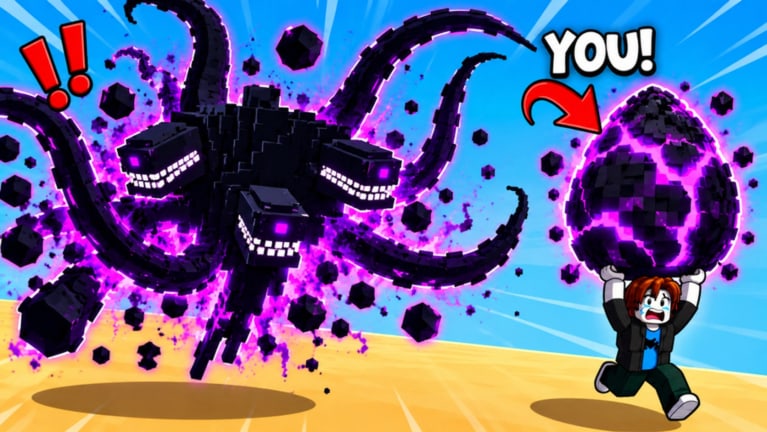
Ride Mobs For Eggs by LocoStudios does not currently have confirmed active codes (see the Codes Hub for November 2026 status). That does not make this guide useless. When studios ship codes, they often expire quickly, and players lose gifts because they cannot find the redeem box under pressure. This page teaches the usual Roblox simulation/tycoon patterns so you can redeem a real Ride Mobs For Eggs code the moment one appears.
Treat this as a readiness checklist, not a promise that a Codes button exists in every build. UI layouts change after updates. Always verify against the live client and against latest updates if LocoStudios moves the menu.
Before you redeem anything
- Confirm the code is for this game. Place ID
86268685858813, studio LocoStudios. Codes for Ride An Egg, Bike For Egg, or Ride A Pet will not help you here. - Be logged into the correct Roblox account — the one you play on. Codes usually bind to the account that redeems them.
- Join the experience first. Most games only show the redeem UI while you are inside the place, not on the Roblox website alone.
- Have inventory space and a stable connection. Close extra apps if you disconnect mid-claim.
- Claim free Speed from LocoStudios if you have not already — that reward is confirmed today on group rewards and does not depend on codes.
If you are brand new, skim Getting Started so a successful redeem (cash, Speed, eggs) plugs into a real loop instead of sitting unused.
Step-by-step: finding the Codes UI
Roblox simulators usually hide codes in one of a few places. Check them in this order when a drop is announced:
1. Settings / gear icon
Open the top-bar or side-bar Settings (often a gear). Look for a tab or section labeled Codes, Redeem, Promo, or Gifts. Many LocoStudios-style experiences put a text field here with a Submit or Redeem button.
2. Shop or Store menu
Open Shop. Scroll past Robux offers for a free Codes panel. Some games place it at the bottom of the cash shop or beside daily rewards so paying players and free players share the same menu.
3. Dedicated Codes button
Check the main HUD for a ticket, gift box, or Codes button. Newer UIs sometimes float it near the Index, trails, or pen upgrade buttons. Tap once, enter the string, confirm.
4. Group or experience description (rare)
Occasionally studios put a one-time code in the group shout or experience description and still require in-game redeem. Copy carefully — no trailing spaces — then paste into the in-game box. Do not expect the Roblox website redeem page to apply game-specific promo codes; those are almost always client-side.
5. Update notes after a patch
If the Codes button vanishes after an update, re-check Settings and Shop before assuming codes were removed. UI reshuffles are common. Cross-check latest updates for “codes relocated” notes when we have them.
How to enter a code cleanly
- Copy the code from a trusted source (this wiki’s Codes Hub, LocoStudios group, or the official experience page) — avoid retyping from memory when case matters.
- Click the text field and paste. Delete accidental spaces before or after the string.
- Press Redeem / Submit / Claim once. Double-clicking can spam error toasts and make you think it failed.
- Read the toast or modal. Success messages usually name the reward (cash, Speed, egg, trail unlock, etc.).
- Open inventory, pen, trails, or Speed stats to confirm the gift applied. Some rewards land as items you still need to equip or place.
Common errors and fixes
| Message / symptom | Likely cause | What to try |
|---|---|---|
| Invalid / wrong code | Typo, lookalike-game code, or expired | Recopy from Codes Hub; verify game name |
| Already redeemed | Account already used it | Stop retrying; one redeem per account is normal |
| Expired | Time-limited drop ended | Check hub for replacements; do not trust old screenshots |
| No Codes UI | Wrong menu or temporary removal | Recheck Settings → Shop → HUD; wait for studio clarification |
| Nothing happens | Lag or UI desync | Rejoin the server, then redeem once more |
| Reward missing | Claimed but not equipped/placed | Check pen, trails, Index, and backpack |
Never pay a stranger to “redeem for you.” That is a classic account-steal pattern. Never paste executor scripts that claim to auto-redeem codes — see the Scripts Hub for why unverified loadstrings are a hard no on this wiki.
What rewards usually look like (when codes exist)
We will not invent reward tables. When LocoStudios does ship codes, expect gifts that fit the game’s economy: cash for pen upgrades, Speed boosts that stack with treadmill training, eggs that hatch into income mobs, or cosmetics/trails that help Index or visibility. Rare drops sometimes push Secret or Eternal progress, but until a code is verified we will not promise those tiers.
Whatever you receive, fold it into the core loop:
- Spend cash on pen capacity and income multipliers
- Spend Speed gains on deeper worlds among the eight available zones
- Save strong duplicates for 3 → GOLDEN fuse instead of selling everything
- Track Index completion so code eggs do not sit unhatched
Practice run without a live code
Even with zero active codes, open the live game once and map your menus:
- Launch Ride Mobs For Eggs on the account you main.
- Note where Settings, Shop, Index, trails, pen, and treadmill controls live.
- Mentally mark where a Codes field would fit if LocoStudios adds one later.
- Claim the LocoStudios Speed gift if pending (group rewards).
- Return here when the Codes Hub flips from “none confirmed” to a live list.
That five-minute scout saves you from panic-searching while a limited code expires.
Safety and scam checklist
- Official redeem happens inside the Roblox experience or through studio-documented steps — not through random websites asking for your password.
- Roblox staff and LocoStudios will not DM you a “codes bot” that needs your cookie or
.ROBLOSECURITY. - Chrome extensions or “code generators” that ask you to log in are malware.
- If a code requires you to join an unrelated group that is not LocoStudios, treat it as suspicious until confirmed on this wiki.
Related reading
- Codes Hub — live list (currently empty and honest)
- Getting Started — spend rewards productively
- Group rewards — free Speed without codes
- Latest updates — announcement tracker
- Scripts Hub — why we refuse fake auto-redeem tools
When a real code lands, redeem once, verify the gift, then get back on the treadmill. Speed, eggs, pen income, and GOLDEN fuses still drive long-term progress more than any single promo string.
Frequently Asked Questions
Quick answers to the most common questions.
Where is the Codes button in Ride Mobs For Eggs?
Check Settings, Shop, and the main HUD for a Codes, Redeem, or Promo field. Layouts can move after updates — re-check those three places first.
Can I redeem codes on the Roblox website?
Game promo codes are almost always redeemed inside the experience client. Website Roblox codes are a different system and will not apply Ride Mobs For Eggs gifts.
A code from Ride An Egg does not work here. Why?
Different games. Only codes confirmed for Ride Mobs For Eggs by LocoStudios belong on the Codes Hub. Lookalike titles cause constant mix-ups.
What should I do if redeem says invalid?
Remove spaces, confirm case, confirm the code is listed as active for this game, then rejoin and try once more. If it still fails, it is likely expired or never valid here.
Are there codes to redeem right now?
As of November 2026, no. Use How to Redeem as practice and watch the Codes Hub for the first verified drop.